Instantly Send Webpages to ChatGPT

Transform your reading workflow with one-click AI analysis. Ingest2AI helps you instantly send any webpage to ChatGPT with custom prompts for personalized summarization, keyword extraction, and deeper insights. Extract and analyze full webpage content or just selected text.
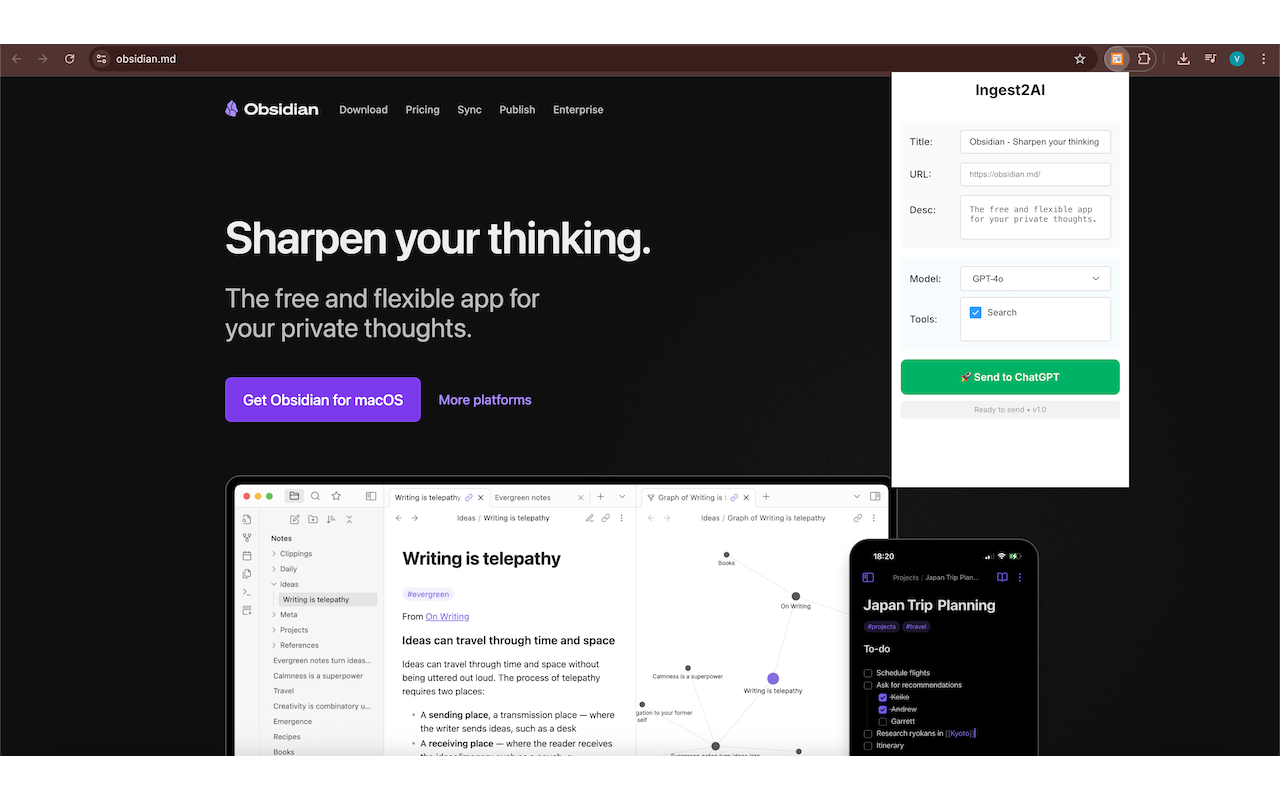
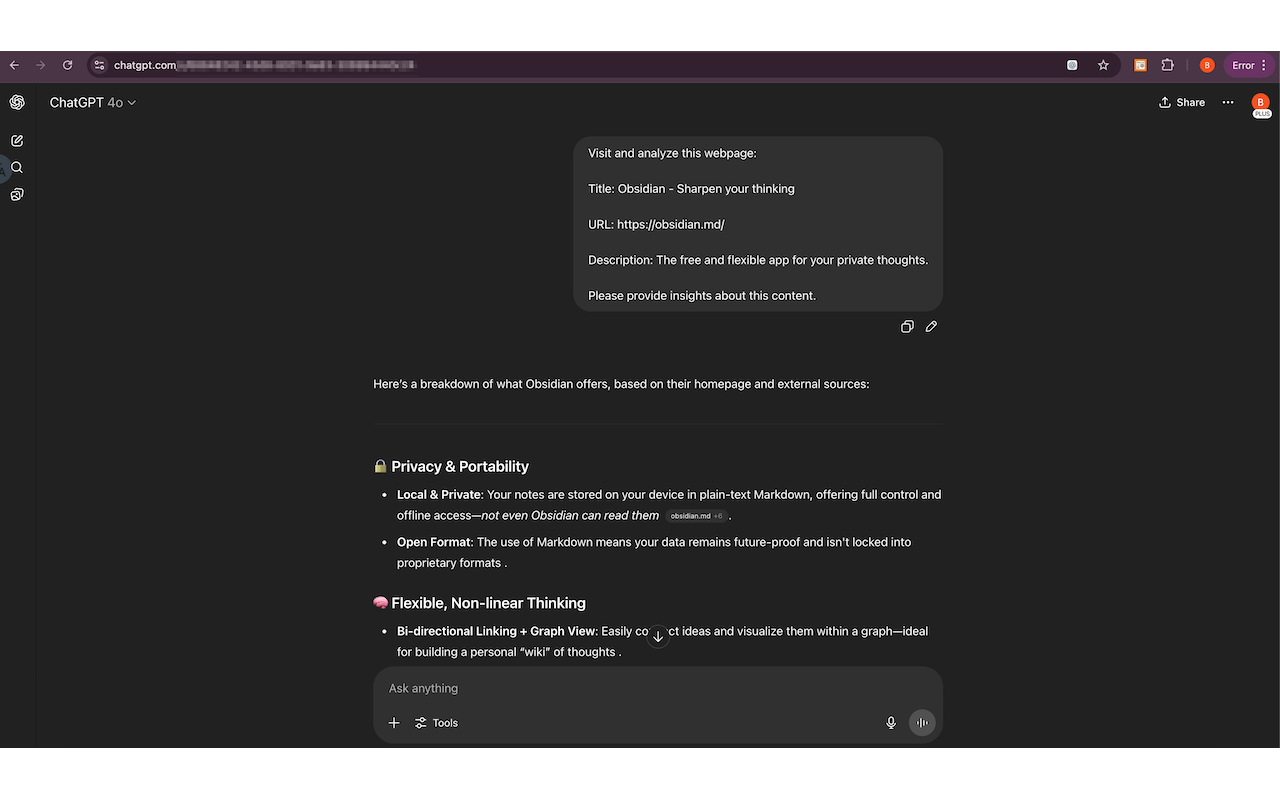
Ingest2AI Extension Interface

Supercharge Your Reading Workflow

Perfect for researchers, professionals, and AI power users who want to make ChatGPT their personal reading assistant and knowledge base.

Smart Content Extraction

Extract and analyze full webpage content or just selected text with intelligent content recognition. Transform any web content into actionable AI insights with precision.

Flexible Content Selection

Choose to analyze the entire webpage or focus on specific text selections. Create custom prompt templates with variables like #{title}, #{url}, and #{description} for personalized analysis.

Save Time Automating Chats

Instantly open ChatGPT with your content pre-loaded and ready for analysis. No more context switching or manual setup.

Personalize Your AI Analysis

Create custom prompt templates that adapt to your workflow. Use dynamic variables to get consistent, personalized analysis every time.

Smart Template Variables

#{title}

Automatically inserts the webpage title

#{url}

Includes the full webpage URL for context

#{description}

Adds the page meta description

#{language}

Specifies your selected language preference

#{selection}

Includes your selected text for focused analysis

Example Custom Prompt Template

// Research Analysis Template
"Please analyze this webpage: #{title}
URL: #{url}

Focus on:
1. Key findings and insights
2. Methodology or approach
3. Potential limitations
4. Practical applications

Selected text: #{selection}

Please respond in #{language} and provide a structured summary."
✨ Variables are automatically replaced with actual webpage data

How Ingest2AI Works

Get started in seconds and transform any webpage into actionable AI insights with just a few clicks.

1

Install Extension

Install the Ingest2AI extension from the Chrome Web Store with one click.

2

Navigate to Webpage

Browse to any webpage you want to analyze or summarize.

3

Select Content & Click Extension

Optionally select specific text, then click the Ingest2AI extension icon or right-click for context menu to analyze full page or selected content.

4

Customize Prompts & Settings

Configure your custom prompt templates and preferred ChatGPT model for personalized analysis that fits your specific needs.

5

Send to ChatGPT

Click "Send to ChatGPT" to open a new chat with the selected settings and content.

6

Get AI Insights

ChatGPT processes the webpage and provides summaries, keywords, and detailed insights.

See Ingest2AI in Action

Watch how effortlessly you can transform web browsing into AI-powered analysis.

Ingest2AI Extension Interface
ChatGPT Integration

Privacy & Security First

Your data stays private. Ingest2AI processes everything locally in your browser with zero data collection.

Zero Data Collection

Ingest2AI does not store or share any of your data. Everything happens locally in your browser.

Local Processing

All content processing happens in your browser. No third-party servers involved in the analysis.

Direct ChatGPT Connection

Content goes directly to ChatGPT when you choose. No intermediary services or data logging.

Ready to Transform Your Reading Workflow?

Install Ingest2AI now and make ChatGPT your personal reading assistant and knowledge base — directly from your browser!

Free • No signup required • Privacy-first

Manual Installation Guide

  1. Download the ZIP file above
  2. Extract the ZIP file to a local folder
  3. Open Chrome and go to chrome://extensions/
  4. Enable "Developer mode" in the top right corner
  5. Click "Load unpacked" and select the extracted folder
  6. The Ingest2AI extension is now installed and ready to use!

Need help or have feedback?

vibesparking@outlook.com